

1. Log in to Plesk via portal given by Hosting Provider. For example: https://:serverhostname.xyx:8443.
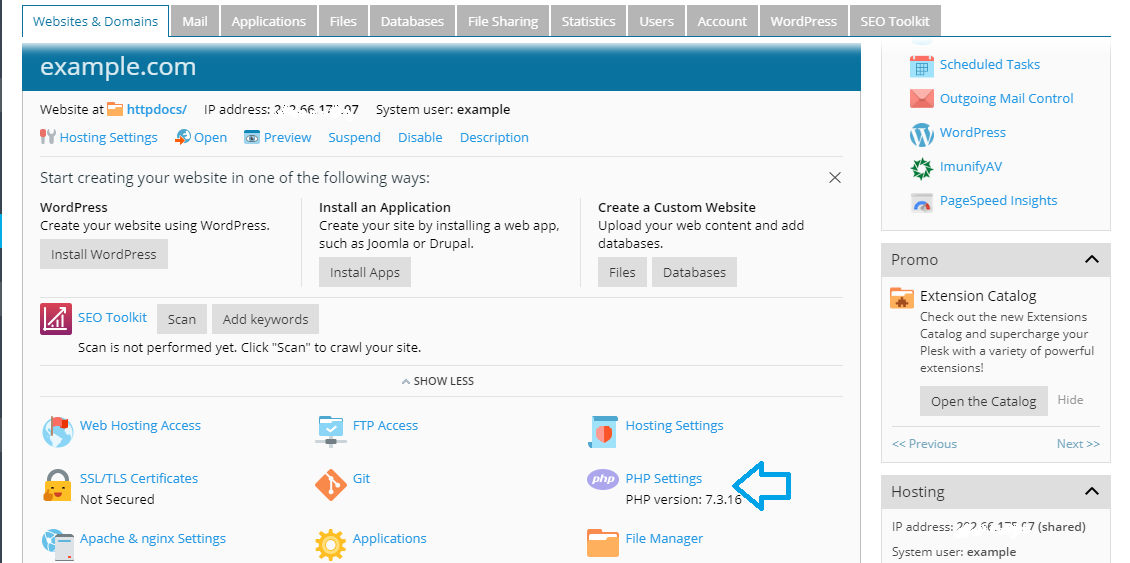
2. Go to Plesk >> Domains >> example.com >> PHP Settings. Now, set required settings or click simply on PHP Settings.

3. Select the required PHP version [recommended at least 7.1] Once done, click on Apply and OK.

Important: What if your website starts throwing error for database connectivity after changing the PHP version from PHP 5.6 to 7.2 or higher?
Answer:  Development Team will update the code in the database connection files. They will replace the existing code with the supported version in your website DB configuration files.
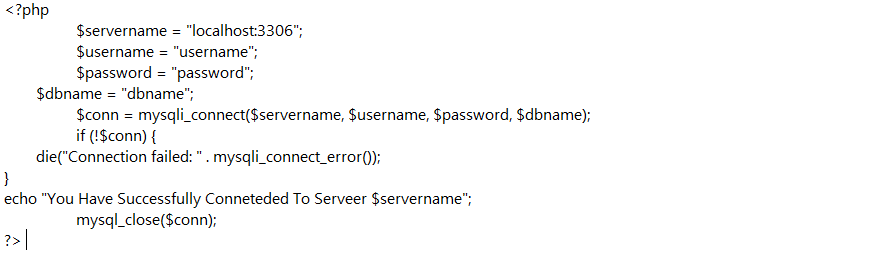
Connect MySQL Server using PHP Code >> PHP with running version 5.6, 7.0 or Above.
Â
Â
Â